
CATCHPLAY+
Download to Watch in On-Demand App
Company: CATCHPLAY Inc.
Platform: App, Website, Smart TV
Tasks: User flow, UI Design, Prototyping
Year: 2017

The Brief
CATCHPLAY+ is an on-demand movie service launched in Taiwan, Singapore and Indonesia. Users can watch thousands of movies on mobile apps, website and Smart TV. Due to the Internet connection issue, some users report their frustration with the unpleasing experience while watching movies, which is caused by slow Internet speed or unstable connection. Although we cannot solve the Internet problem for the users, we can create a new feature, the download to watch, to alleviate users’ pain points.
Design Challenges
Internet-related issues
Internet issues affect the movie downloading process. It could cause users a long time to download a movie or even fail to download, so the interaction in the app should give users expectations and notice them the downloading progress. After the movie is downloaded, the app should allow users watching it offline.
Movie file management
Given that the regulation of licensing is very strict and complicated in the movie industry, the new feature has to consider every scenario to protect the copyright that doesn’t allow user watching a movie on different devices at the same time. Also, the file size of a movie takes huge space in storage. The app should acknowledge this information to users, and they are able to manage the movie file based on their context.
Solutions
Dynamic interfaces
The movie download process is affected by the Internet and the user behaviours. Dynamic status in My Download List is considered for various scenarios, downloading, pause, downloaded and watched. In Item Page, users can find the download status of the movie. Each status provides different UIs. Each status has a suggested action for users to decide the next step. While waiting for downloading movies, users can browse in the app. The progress bar is displayed at the bottom of the app for users monitoring the download process.

My Download List
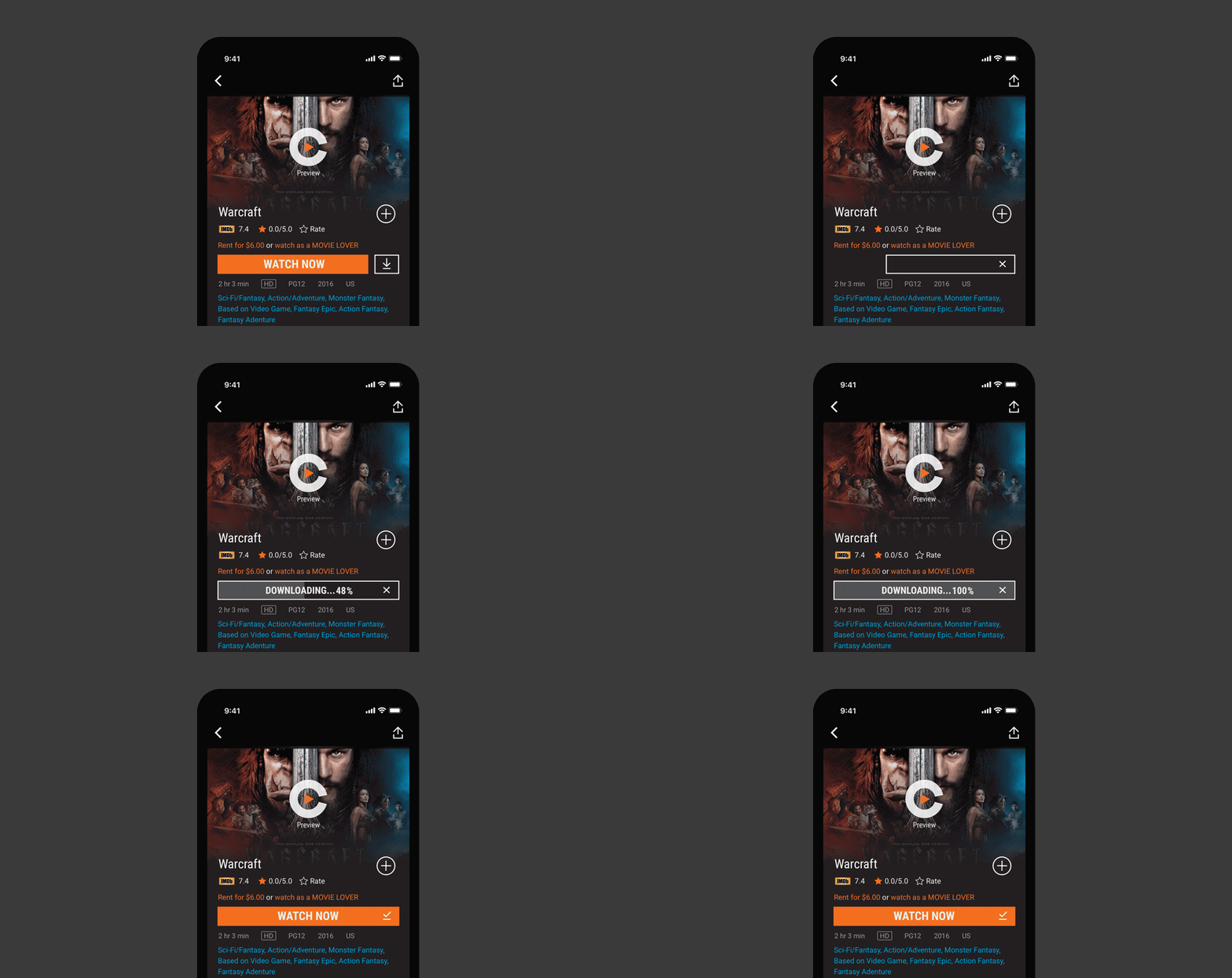
Item Page
Guiding through step by step
There are various situations that stop users watching or downloading movies, such as Internet disruption, licence expired, or full storage. We have to think of every scenario and provide clear user journeys to help users reach their final goal, watching movies. As a result, the detailed and complicated user flows had been made by co-working with the engineering team and the legal team.

My download list - watching movies and managing movie files

Offline mode - watching movies offline
Reflection
The download to watch feature ideally prevents users get disrupted by Internet issues while watching movies, but I am wondering if the new feature creates more usability problem for users. The download process could become more complicated if the Internet and licence issues both occur, which would make users confused and frustrated. Even the user flow can guide them to fix the problem, they would feel concerned and scared by a series of pop-up alerts.
If I had a chance to optimise the design, I would have simplified the user flow and make users easier to watch offline movies. I would also have focused on creating a subtle experience to replace the default error message UI. This could minimise users’ negative emotion and encourage them to get to the next step until they solve the issue and then watch movies successfully.